
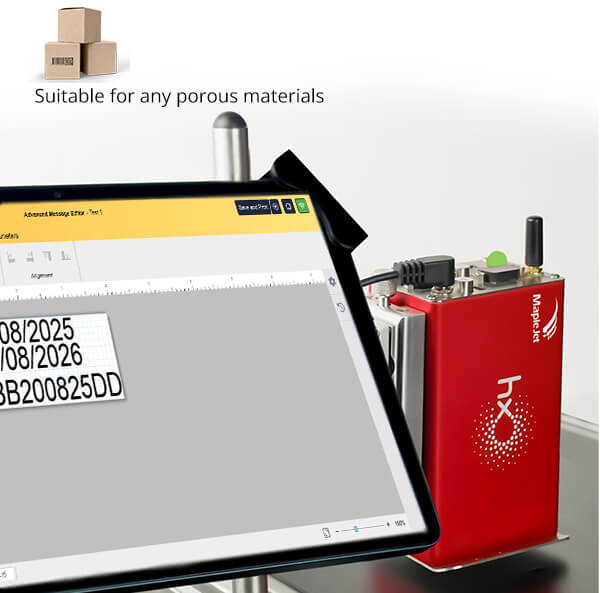
Hx Nitro Controller Product Family, designed for Funai print head with TIJ technology. Highly modular setup with multiple color options and customized brand logos.
Hx Nitro
$1,500.00
Hx Nitro Controller system with configurable colors and logos.
Please select a configuration above to view its technical specifications.
Hx Nitro & Hx Ultro Feature Compatibility Matrix
Exhaustive mapping of internal controller capabilities to minimum required Hardware (HW) and Software (SW) release versions.
| Feature Name | Short Description | Min HW Ver. | Min SW Ver. |
|---|---|---|---|
| Numeric-Alphabet Counter | The counter can include digits (0–9), lowercase English letters (a–z), and uppercase English letters (A–Z) within the same sequence | 90 | 140 |
| High Resolution | This mode provides finer barcode width adjustment steps, improving barcode sizing flexibility while maintaining reliable readability for Hx Nitro 25w & Hx Ultro 25w | 90 | 136 |
| Non-Volatile Counter | The non-volatile counter ensures that the count value is retained in memory, allowing it to automatically resume from the last recorded value after power cycling. | 90 | 133 |
| FunArt Gist Reader | This tool lets users retrieve and review printer logs over a shared network. It sends HTTP requests to extract logs directly from the printer, and after logging in, users can export them as spreadsheet files for analysis and reporting. | 85 | 127 |
| SSID Postfix | A new command, cmd%exe@setssidpostfix$ssid_postfix%, has been added to set the SSID postfix. | 85 | 126 |
| DHCP IP Change Notification | Added a notification that informs the user whenever the DHCP IP is changed using the command. | 85 | 125 |
| Web Print | The latest update to AME Web Print—now officially named Multi-Device—introduces several improvements that enhance usability, control, and flexibility when managing multiple printers simultaneously. | 85 | 124 |
| WiFi Information | Added wifi.xml: a read-only, well-formed snapshot of the Wi-Fi module (AP/STA IP/MAC, server/DHCP, target AP status, 4 TCP stats). Includes AT & SDK versions for technicians; no operator interaction. | 85 | 123 |
| Remove The Cap | In Hx-Nitro printers, if the cap is attached to the printhead, the device generates a diagnostic code prompting the user to remove it. Once the cap is removed, the OLED displays a 'Ready to Print' message, If the device is ready to print. | 85 | 123 |
| Optional Reset Counter in AutoPrint | Added In this version, you have the option to configure whether the message counter in the AutoPrintPrintJob resets when switching between messages. | 85 | 123 |
| Text Wrap | A new Text Wrap feature in HX Manager now applies to all text fields—Counter, Date & Time, Barcode (Text Field), and Custom Text. Users can adjust text flow and alignment by moving the red wrap line. | 85 | 121 |
| Real Preview for External Data Objects | When an External Data object is added and an external data file has already been uploaded to the device, AME shows a live preview on the canvas for easy placement and formatting. | 85 | 121 |
| 180 degrees rotation | A 180° rotation option has been added for Date/Time, Counter, and LOT objects, Available angles: 0° and 180°. | 85 | 121 |
| Limited Printjob Option | The Limited Printjob feature has been added in the Printjob page to enhance control over Circular Print Jobs . | 85 | 119 |
| AIS Angle Detection | The Hx printer can now detect the mounting angle to ensure the AIS is installed between 15 and 90 degrees, with its beacon positioned at the top of the ink system. it is compatible with AIS software version 4. | 85 | 118 |
| BCD Interface | The BCD Interface has been added to the print job. | 85 | 117 |
| Dynamic Maximum Line Speed | The dynamic maximum line speed feature is disabled by default. | 85 | 116 |
| Intelligent Mail Barcode | The Intelligent Mail barcode type has been added to the barcode library. The input string must be numeric and at least 20 digits long and maximum 31 digits long. | 85 | 115 |
| Print Job | The Print Job feature in Hx Nitro boosts efficiency by automating multiple messages within a single job sequence. | 85 | 114 |
| Enhanced SD Card Compatibility: Now Supporting U1 Class | The software now supports U1 class SD cards alongside C10 class cards, enhancing compatibility and performance. | 85 | 111 |
| Format SD card Notification | A new info has been introduced to the health check to let the user know the second partition of the SD card is not formatted. Users should employ appropriate engineer command to format it. | 85 | 111 |
| On-the-Fly WiFi Firmware Updates | A new feature has been introduced that lets you easily update the WiFi module firmware on your Hx device. | 85 | 108 |
| AIS Health Check Status Info | A new feature has been added to the Health Check that indicates the message storage location. | 85 | 107 |
| AIS Ink Valve | A new feature has been added to the Health Check that indicates the message storage location. | 85 | 107 |
| Message Storage Location | A new feature has been added to the Health Check that indicates the message storage location. | 85 | 100.1 |
| Batch External Data Mode Info | A new feature has been added to the Health Check that indicates the message storage location. | 85 | 100.1 |
| User Access Level | The user access level feature limits user access to various Hx printer features based on their roles. This ensures that different types of users have appropriate permissions, enhancing security and operational efficiency. | 85 | 90 |
| Advanced Message Editor | A user friendly message editor for Hx printers | 85 | 87 |
| Barcode Rotation | Each barcode can be rotated 0°, 90°, 180°, or 270° counterclockwise in the Simple Message Editor. A new “Rotation” field allows users to easily select the desired angle. | 85 | 87 |
| LOG (Gist) | An adaptive synchronization mechanism has been added to improve stability and reduce LOG failures. It dynamically adjusts sync intervals based on network conditions to minimize recurring issues. | 85 | 87 |
| Combination of Generate Pulse After Print & Error Status | A new requirement requests combining “Pulse Generation After Print” and “Print Fault” modes in the Output Configuration settings. One output pin should signal printer errors only (not warnings), while another pin should signal end of print. | 85 | 86.2 |
| Pulse Generation & Error Status modes in Output Config | For Pulse generation there are six modes of output that user can select: 1. Delay & Printing Pulse (Active-Low) 2. Delay & Printing Pulse (Active-High) 3. Printing Pulse (Active-Low) 4. Printing Pulse (Active-High) 5. Printing Pulse (Active-High) 6. Printing Pulse (Active-High) Signal generated on Beacon. | 85 | 86.6 |
| Autopilot New Commands | 1. Getting messages list : <MSGLIST/> 2. Set Print Parameters : To set print speed of current message or specific index. 3. Get list of Online Data Indexes of a message: <MSGODI/> | 65 | 85 |
| Supported JASON printer commands | Identifiers Description: 0x00 - ON/OFF commands, 0x01 - Ask printer status, 0x02 - Product to print selection, 0x03 - Ask printing message, 0x06 - Send message parameters, 0x10 - Send time parameters, 0x36/0x37 - Send/Ask external online data, 0x39 - Ask library lists. | 65 | 85 |
| microPDF417 | The software now incorporates a barcode technology called MicroPDF417. This barcode system can encode a wide range of input characters, including both ASCII and extended ASCII characters. | 65 | 85 |
| Symbol Size for Data Matrix Barcode Family | A new dropdown menu added to Data Matrix, GS1 Data Matrix, GS1 Digital Link, and Mailmark. Options include Auto, Square, Rectangle, and fixed target symbol sizes. | 65 | 84 |
| Health Check Monitoring Header Icon | A Health Check icon has been added to the header of all pages (except the dedicated Health Check page), allowing users to monitor errors and warnings without leaving their current page. | 65 | 84 |
| GS1 Digital Link | The simple message editor now includes a new 2D barcode named “GS1 Digital Link” with AI Type. The AI type is defined separately for each source of the barcode and is disabled for source 1. | 65 | 83 |
| sdc.xml | An xml added to web server called “sdc.xml” for native sd card memory diagnostics. | 65 | 83 |
| Font Partition Recovery | Add a command for Font Partition Recovery if it is damaged. (“cmd%exe@dofontrecovery$”) | 65 | 83 |
| BCD Interface (Auto Print Container) | The BCD interface feature has been added as a new configuration element in the settings page for each message inside the “Message Auto Print” container. | 65 | 83 |
| XML file as external data source | A new feature has been added to HXManager, allowing users to upload XML files in the external data page and send the data directly to HX devices for live rendering. | 65 | 82.3 |
| BOOST | BOOST feature allows the printer to operate at higher line speeds while maintaining effective print resolution—particularly for high-speed coding and barcode applications. | 65 | 82 |
| Objects Order | The Simple Message Editor has been enhanced with a new feature called “Object Order”, allowing users to easily modify the order of objects using the arrow up or down buttons. | 65 | 81 |
| AIS (Advanced Ink System) | A fully integrated ink system designed for products equipped with an external cassette (such as Ultro and Cartro). If the AIS is connected during boot-up, the reservoir UI panel renders active levels. | 65 | 80 |
| Print height is reduced from 13mm to 10mm | In the Hx Nitro, horizontal installation reduces print height from 13 mm to 10 mm, as the top 3 mm of nozzles cannot print. Messages should be designed after mounting adjustments. | 65 | 79 |
| User Defined indexing for external data | A new feature lets users manually select specific external data columns (1–100) for online or batch use. Previously, column indexes were auto-generated, which could skip desired columns. Default index is 1. | 65 | 79 |
| External Data Batch/Online is finished | If the printer finishes printing external online data, the OLED displays the explicit fault code “ExtDOnline End.” | 65 | 77 |
| Ink Level | The “Ink Level” item has been added to the Ink Estimation container, measured in percentage (%). Below 5%, it dynamically switches to display “Less than 5%” instead of raw numerical outputs. | 65 | 77 |
| Extend Container Button | The Live Print View header on the Monitoring page now has an “Extend Container” button, which expands the viewport interface for a highly comprehensive monitoring interface. | 65 | 77 |
| Lot number empty | If a message contains lot numbers and at least one string payload returns empty, a “Lot Number Empty” alert displays on the hardware interface. | 65 | 77 |
| Search message by name | A live filter box added directly to the message listbox interface, enabling rapid retrieval of custom file layouts by typing exact strings. | 65 | 76 |
| Print Per mL | If ABIS is enabled, the UI text string “Print Per Cartridge” instantly updates contextually to read “Print Per ….mL”. | 65 | 76 |
| Cartridge Consumed Ink | A new item called “Cartridge Consumed Ink” has been added to the “Cartridge” container on the monitoring page. Active only when ABIS is enabled and primed. | 65 | 76 |
| Backup and upload | Saves the current message out locally as a .hxmsg file payload to the local machine, or restores custom backup instances instantly back into the designer console. | 65 | 76 |
| AutoPilot (Full Scope) | Autopilot is a framework permitting third-party control via PC or line PLC. Commands flow across native WiFi, RS232, or physical USB ports. | 65 | 74 |
| AutoPilot (Command Mode) | Enables automated production triggers over direct external networks. Includes primary execution parameter: Turn On/Off Print. | 65 | 72 |
| Counter padding | User is able to add zero before counter's digit or not by selecting “Add Padding” or vice versa. | 65 | 71 |
| Date format | Four new date formats added: 1. DDMMYY 2. DDMMYYYY 3. MMYY 4. MMYYYY | 65 | 71 |
| External Online Data Over WiFi | Use a TCP packet sender app (e.g., PacketSender) to send online data. Always include the three main parameters: Packet Data, Server Address, and Server Port. | 65 | 71 |
| Send To Many | “Send To Many” lets users create message once and send it to multiple online Hx Devices on the same network. | 65 | 71 |
| Auto Notify | “Auto Notify” in Settings (Advanced Mode) lets users choose events and communication methods to automatically send notifications when those events occur. | 65 | 71 |
| PM Counter and Message counter | PM Counter and Message Counter have been added to the Counter object, allowing users to use them alongside the User Defined type. | 65 | 71 |
| Extended Arabic | An “Extended Arabic” checkbox has been added to each field (except Barcode). When selected, digits display in Arabic style. Requires mapped target fonts. | 65 | 71 |
| Output Configuration | “Output Configuration” is a new container which is added in “Settings” page, advanced mode, and allow users to select related mode. | 65 | 71 |
| Active Bulk Ink System (ABIS) | ABIS uses an ink bag to increase print capacity and reduce costs. Activated via Advanced Setting Commands. Renders target management containers instantly. | 65 | 70.1 |
| Refresh Healthcheck automatically | The Healthcheck page automatically updates whenever diagnostic codes change. | 65 | 70 |
| Encoder mode print Scale(%) | Adjusts print width by dynamically stretching or shrinking output strings from 50% to 200% scaling directly when physical encoders are operational. | 65 | 70 |
| Online Data Format | Users can customize Online Data formatting in Settings. Permits injecting fixed string sequences automatically before data streams fire. | 65 | 70 |
| Advanced/Basic mode | Users can switch from basic to advanced mode to access more editing options in the Settings and Simple Message Editor pages. | 65 | 69 |
| Live Print View | A new container has been added to the Monitoring page to display real-time message views. | 65 | 69 |
| Static IP | On the Settings page, the WiFi Access-Point container now includes an option to select Auto IP or Static IP. Choosing Static IP allows entering explicit fixed bindings. | 65 | 69 |
| Print order | A “Print Order” item added to the Message container on the monitoring page, allowing users to set explicit printing sequences. | 65 | 68 |
| barcode Lot source | In Simple Message Editor, 'Lot Number' has been added as a barcode source, and users can select defined batch sequences directly. | 65 | 68 |
| Multi object | In Simple Message Editor, users can add more than four objects natively by adjusting configuration toggles. | 65 | 68 |
| RS232 Port Container | An “RS232 Port” container has been added to the Settings page, allowing users to configure hardware parameter rates directly. | 65 | 67.2 |
| Change Direct-IP | Users or agents can change the Hx-Device Direct-IP via explicit string command sequences. Default IP base bindings track to 192.168.5.1 endpoints. | 65 | 67.1 |
| Dynamic Max Line Speed | The printer measures line speed via an encoder. If it exceeds the maximum line speed, the printer detects the current speed and adjusts printing accordingly. | 65 | 67.1 |
| Support 3 colored External Beacons | In this mode, two signals control the active lamp color. A two-to-four active-low decoder generates four states: Print Off, Print On, Warning, Fault. | 65 | 67 |
| External Data & Variable logo | External Data and Variable Logo is a new feature added as a page. It allows users to select an Excel file as the data source, with printed values updated by sensor pulses. | 65 | 67 |
| Distributor Container | Distributor Container shows some information related to Distribute and added in Monitoring page directly. | 65 | 66.2 |
| Cartridge Container | Displays active ink base color configurations and operational batch serialization parameter records. | 65 | 66.2 |
| Tag | From this version release, all cartridges must have a programmed Tag containing information about the cartridge and distributor. | 65 | 66.2 |
| Barcode | Barcodes in Simple Message Editor: You can add barcodes by selecting Barcode from the list. Two types are available: Normal Barcode and GS1 Barcode. | 65 | 66 |
| Default Message | Default message added to Hx family. Renders dynamic string layouts automatically when zero external custom entries reside natively. | 65 | 66 |
| Cartridge Type | “Cartridge type” added directly in the Cartridge Container on the monitoring panel. | 65 | 66 |
| Pulse after Print | The female DB9 connector outputs two pulses after each print. Pin 4 generates a falling-edge pulse, and pin 2 generates a rising-edge pulse. | 65 | 65.8 |
| External Beacons | Normal Mode: Green indicates normal operation; red indicates a fault. Pulse After Print: Beacon 1 outputs falling-edge and Beacon 2 rising-edge pulses. | 65 | 65.8 |
| maximum line speed | To apply the maximum line speed and avoid print stretching, enter the explicit command in your browser after the Hx device IP to bind settings. | 65 | 65.12 |
| External Data Online / Batch | External Data is data that is received from the external device and includes two native source mappings: Online and Batch. | 63 | 65 |
| Shift | Shift added as a new feature allowing users to set distinct groups of time schedules with specific mapping bindings inside messages. | 63 | 65 |
| Font order | Users are able to change the order of selected fonts directly inside the core configuration layout settings. | 63 | 62 |
| Nearby Hx Devices FindHx | By clicking the side menu link, all connected Hx devices on the active access point render out instantly for direct IP dashboard redirects. | 63 | 62 |
| Persian Date | Persian date formats added directly into the master Date/Time options layout specifically when active native language font sets load. | 63 | 62 |
| Caption | Caption added in settings page allowing users to select a secondary operational translation layout for the system interface. | 59 | 61 |
| Log | Supports IoT functionality by natively logging all events, parameter settings, and critical execution failures directly out to internal SD card storage layers. | 59 | 61 |
| Relative Position & Margin | Margin controls vertical spacing between lines in pixels. Relative Position permits joining multiple layout text blocks containing mixed font definitions. | 59 | 61 |
| Online Data (Delimiters) | Supports diverse custom punctuation byte symbols as data frame split parameters. Internal PMIE stepping constraints optimized up to 0.1 intervals. | 59 | 61 |
| Font Sort | Font list Alphabetically | 59 | 61 |
| Encoder | Encoder Container added directly into the master hardware dashboard panel for immediate physical timing parameter inputs. | 59 | 61 |
| Cartridge Name | Ink Type string parameter “Chronplast_HT” officially re-mapped internally to read “eUrex_HT”. | 59 | 59 |
| Smart Phone Style | In Simple Message Editor, the style of Message container is edited, to be shown in smart phones properly. | 59 | 57 |
| Number of Loaded fonts | Number of loaded fonts shown directly at the bottom of the active selection configuration block inside the settings interface. | 59 | 57 |
| Online Message Library | The "Online Message Lib" is an online storage of message samples tailored to customer needs. Users can easily filter and select samples. | 59 | 55 |
| Load The Saved message | Saved message could be load again by checking thumbnail previews and pulling complete design parameter mapping layouts back into canvas view. | 59 | 52 |
| Save | Users can save an existing message over another to avoid redesigning similar layouts by updating matching index records. | 59 | 52 |
| Save & Send | By clicking on “Save and Send” button, designed message will be sent to Hx, and ready to print. | 59 | 52 |
| Online Data (Manager) | Hx Manager now includes an “Online Data” option to send print data automatically from external devices or software to the HX device. | 58 | 37 |
| Date Rollover | Date Rollover is a parameter that changed the start time of day and used for companies with multiple shift cycles requiring date string delays. | 58 | 37 |
| Toggle Password Visibility | Show/Hide button on a “WiFi Setting” password field, that toggles between showing password as plaintext and hiding it behind asterisks. | 58 | 37 |
| Encoder Timeout | This parameter is set from 1-300 sec, and wait for received pulse as it set. If triggers drop, printing sequences halt automatically. | 58 | 37 |
| Ink Estimation | Improved to calculate ink cartridge usage more accurate. Estimates consider ink drops, size, and cartridge volume minus unusable residue. | 58 | 30 |
| Connection Type | Connection Type, There are two types of connection, Direct connection and Access point connection | 58 | 27 |
| Ink level | Ink level Status Displayed in beacon format. | 58 | 27 |
| Hx Name (Advanced) | Hx Name added in advanced page and it is Editable | 58 | 27 |
| File Transferring | The user can send the file using the File Transfer in programming Hx. | 58 | 27 |
| Message Name | In vanguard, Message name is editable. | 58 | 27 |
| Diagnostic Code | By Clicking on Diagnostic Code, user refer to Health Check page to find out some more information about Hx Device | 58 | 27 |
| Hx Name (Title) | Hx Name added at title of Hx Manager page, this will helpful if user have more than one Hx. | 58 | 27 |
| Lot Number | A Lot Number is a variable text inside message, and located in a fixed place, the content of it could be edited without using vanguard create. | 58 | 26 |
Related products
-
Hx Megalo
$7,150.00